
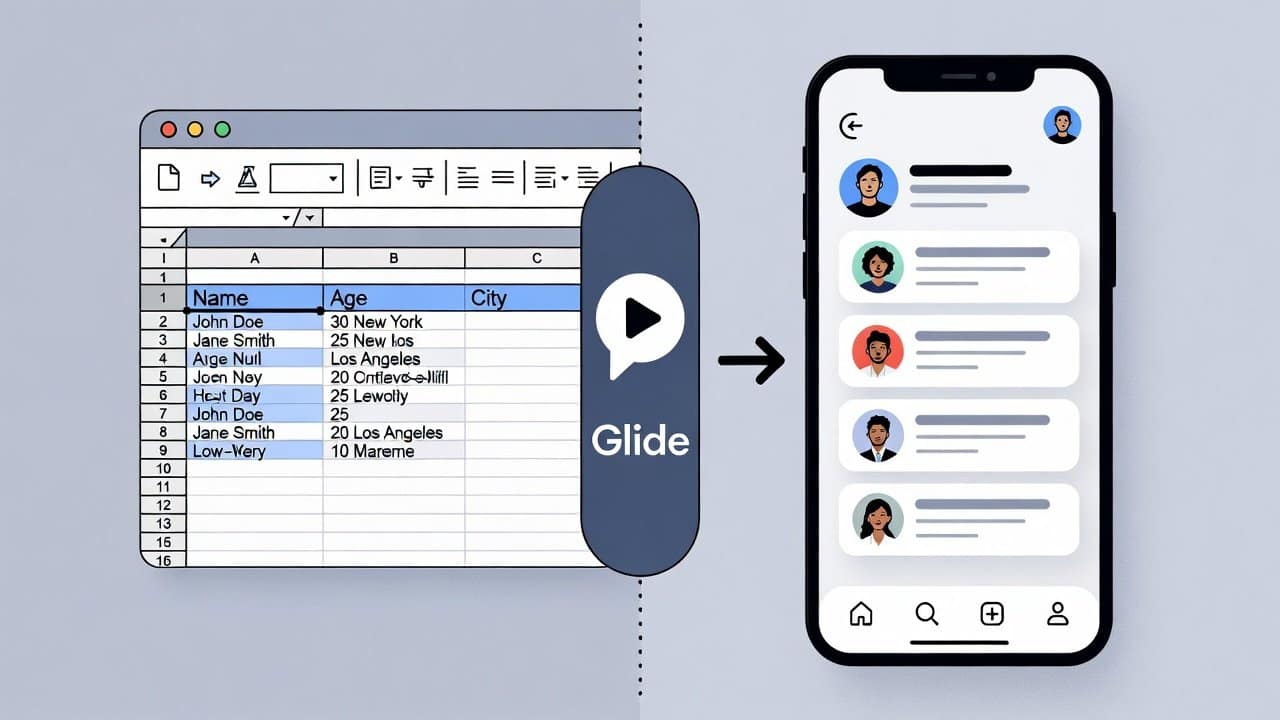
Building an app used to require coding skills, time, and money. However, things have changed with the help of advanced technology. Today, no-code tools enable anyone to build applications through easy-to-use interfaces. These tools do not require any coding skills to develop a brand new app. One of the most common tools used for this purpose is Glide. In this blog we will teach you how to use Glide to turn a spreadsheet into an app with clear methods. So, let’s get into it.
What is a Glide?
Glide functions as a no-code development platform. It allows users to create mobile apps and web applications through spreadsheet data. Also, it supports Google Sheets together with its own integrated data management system. Furthermore, the application development process allows users to build applications through its visual design. They do not need any coding skills to develop an app. Lastly, it enables users to develop operational applications within a short period.
Steps to Use Glide to Turn a Spreadsheet Into an App
Step 1: Prepare Your Spreadsheet
- First users should arrange their data before they can start developing their application.
- Create a spreadsheet with clear columns and rows which will display the following sections:
- Name
- Description
- Price
- Image
- link.
- Your application will include one item which requires you to create a separate row.
- The app will display better results when you ensure your data remains clean and organised.
Step 2: Sign Up and Connect Your Data
- Secondly, go to Glide and create an account.
- Then click New Project after logging into their account.
- Select your preferred data source from the two options available, which are
- Google Sheets
- Glide Tables.
- Users should select their spreadsheet from the available options.
- Glide will automatically turn your data into a basic app layout.
Step 3: Customise Your App Design
- Thirdly, users can now customise their app design.
- Glide provides a drag-and-drop interface. Users have the ability to
- Add text, images, and buttons
- Change colours and themes
- They can move different parts of the content at any time.
- Users have the ability to create three different types of displays, which include the following:
- List view
- Grid view
- Detailed page.
- It helps users create an app design which presents a polished and professional appearance.
Step 4: Add Features and Actions
- Fourthly, users can improve the usefulness of your application through the implementation of interactive elements.
- Some common options include:
- Search and filter options
- Forms for user input
- Buttons for navigation
- Links to external pages
- Users can also create actions like sending emails or updating data.
- These features of your application create additional functionality.
Step 5: Preview and Test Your App
- Fifthly, users should conduct testing procedures for their application before showing it to others.
- Glide enables users to test their applications through mobile devices and web browsers.
- Users should examine broken links and the verification of missing information.
- If there are any issues, then the team must solve them to create an optimal user experience.
Step 6: Publish and Share
- Lastly, users can publish their app after the development work is complete.
- Glide provides a shareable link that you can send to others.
- Users can also open their app directly in their browser or add it to their home screen.
- It enables users to access their application without downloading it.
Conclusion
In conclusion, using Glide to turn a spreadsheet into an app is such innovative work. This enables users to create new, innovative solutions which improve their productivity. Glide being a no-code tool is such a helpful tool to make apps without coding knowledge. Now users can construct applications without any worry. They can turn spreadsheets into apps and carry out their activities way more easily. So, if you want to convert your spreadsheet’s data into apps, then start using Glide today.