In this digital era, passwords protect almost every part of our digital life. Almost everyone uses passwords every day to secure their email accounts and online banking services. Being on a digital platform requires every account to have a different and unique password. This helps in securing their other accounts even if one account gets hacked by cybercriminals. But because of these multiple passwords, people got highly frustrated. Moreover, they find it hard to handle multiple passwords as they need to remember all their passwords.
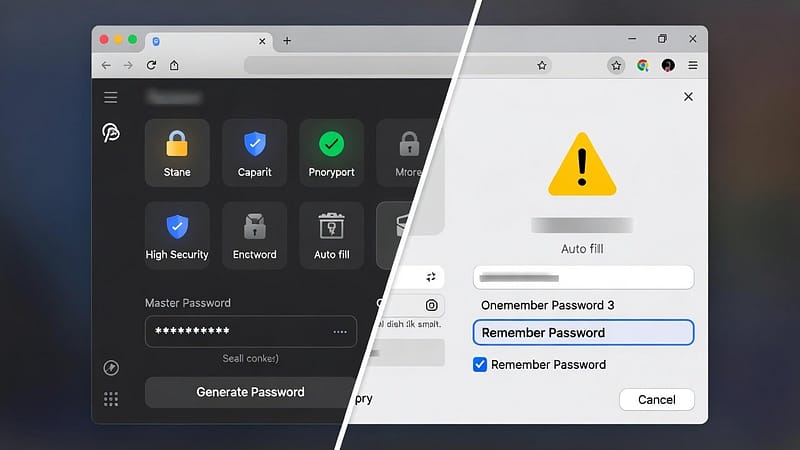
Therefore, people opt for two different settings to manage their password. One is the password manager, and the other is the browser password. People choose between these two options because they need to manage their passwords. In this guide we will share the difference between them, under the title “Password Manager vs. Browser Passwords.” We will share their brief introduction, some security differences, and features. So, let’s get started.
What Are Browser Passwords?
- The majority of web browsers enable users to store their authentication credentials online.
- The browser helps its users to store their login credentials after they submit their username and password to the website.
- Furthermore, the browser saves their information when they select the “save” option.
- This enables automatic login on your next visit to the website.
- Moreover, browser passwords offer users a simple method to manage their access information.
- Users only need to remember one password.
- The browser system stores all their remaining passwords in it.
- Users can quickly access websites by entering their password once.
What Is a Password Manager?
- A password manager is an amazing tool designed to store and protect its users’ passwords.
- The password manager saves passwords in an encrypted vault instead of storing them in a browser.
- Users only need to remember only one master password to access this security vault.
- Furthermore, password managers provide multiple useful functions for users.
- It provides automatic strong password generation.
- This tool also helps users manage their password collection for multiple accounts.
- Many password managers provide support for users to access their passwords across various devices.
- They can be accessed on any device, including phones, tablets, and computers.
Security Comparison
Security stands as the key factor when people compare password manager and browser passwords.
| Password Manager | Browser Passwords |
| Your device security functions as the primary method for protecting browser passwords. If someone unlocks your computer, they may access your saved logins. The security tools provided by browsers do not meet advanced protection requirements.Therefore, browser passwords are not that safe an option to use. | Password managers protect your information. Password managers use strong encryption methods. The stored information remains protected from theft because access requires the master password.It also provides advanced features like two-factor authentication and security alerts.Therefore, password managers are quite a safe and useful option to use. |
Features
The following are some of the best features provided by both systems.
Browser Passwords
- Users can access browser passwords.
- It is because these passwords function as basic security features that are already preinstalled in browsers.
- Users do not need to install any additional components.
- This works perfectly without extra requirements.
- It is also a perfect solution for basic users who handle only a limited number of online accounts.
Password Manager
- Password managers enable users to save multiple passwords.
- It helps in generating secure passwords, which can be used across different devices.
- Some of its features provide data breach monitoring services.
- These services notify users when their passwords become exposed on the internet.
- Furthermore, it enables users to handle their digital security needs through advanced tools.
Conclusion
In conclusion, the blog “Password Manager vs. Browser Passwords” provides solutions that enable users to bypass the need for password memory. After studying both these systems, we clearly have a more secure option to use. The security system of password managers provides strong protection. It also delivers additional security features. Furthermore, it also gives maximum security and dependable account management to all users. The security difference between them will become clear to you, which helps you to make better choices. So, now it is up to you which one you will choose for your digital security and personal data protection.