Do you receive suspicious emails that promise prizes or demand urgent action? Phishing attacks target millions every day because attackers succeed in stealing personal information while causing financial losses. But now you can defend yourself with the best email security tips. In this blog, we will discuss the best strategies to avoid phishing scams. So, let’s get ready to fight this digital scam.
Recognize the Signs of Phishing Emails
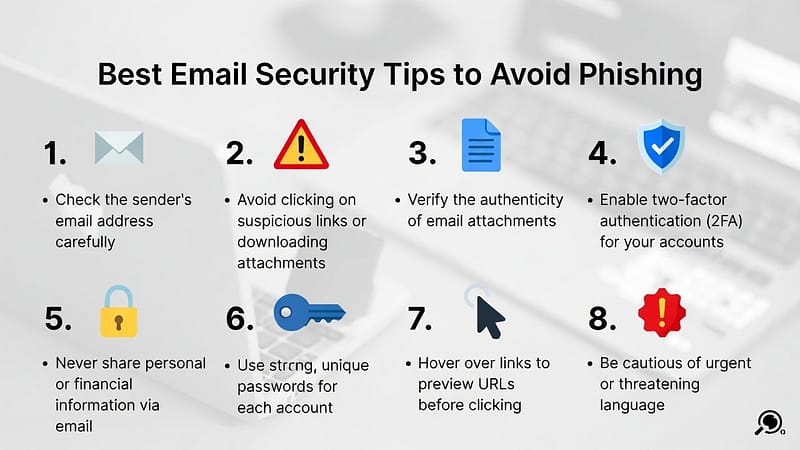
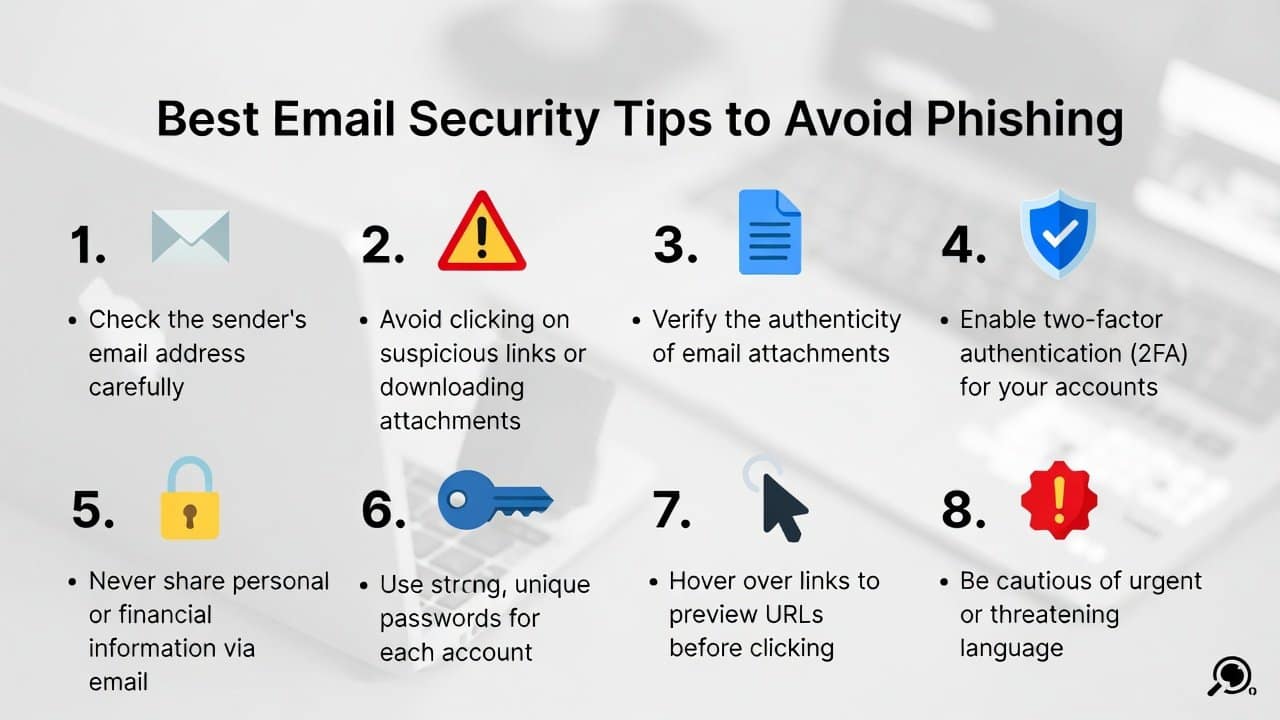
- You can identify phishing attempts through careful email verification.
- Check for emails that imitate trusted sources such as banks and companies.
- The system detects urgent pressure language by analyzing statements that include “Act now or lose access” as urgent.
- You need to analyze all links and attachments, as they pose potential security threats to the device.
- The sender’s email address needs verification because legitimate email addresses must match the official domain.
- Verify the sender’s email address because legitimate email addresses must match the official domain.
Top Tips to Avoid Phishing
1. Use a Strong Password
- Users should create strong passwords and avoid using basic passwords like “password123”.
- For better security, users should create passwords that contain complex combinations of letters, numbers, and symbols.
- Users should use a password manager to create passwords that the system will store in a secure manner.
2. Enable Two-Factor Authentication
- Users should activate two-factor authentication (2FA) whenever possible, as it provides additional security.
- The system requires users to enter a verification code.
- It prevents hackers from accessing their accounts even if they have stolen their passwords.
3. Be Cautious with Links and Attachments
- Handle links wisely by hovering over them to preview the URL before clicking.
- Users should avoid clicking links that do not lead to their intended destination.
- They should not open attachments from unknown senders, as they may contain malware.
- Users should download files only from trusted sources to protect their data from being stolen.
- Users need to have antivirus software that protects their devices by scanning emails for threats and blocking virus attacks.
4. Update Your Software and Use Email Filters
- You need to keep your email client and operating system up to date to protect against security vulnerabilities.
- Your email system should have spam filters enabled to direct suspicious emails to the junk mail folder.
- Through Gmail’s and Outlook’s advanced filters, you can create custom filters that will learn from your usage patterns
- Your phishing email detection will improve when you use these automatic systems.
5. Educate Yourself and Report Suspicious Emails
- Users should stay updated on current phishing patterns by reading trustworthy websites, such as the FTC and cybersecurity blogs.
- Users should share protective advice with their family and friends to create a community-based defense system.
- Users should report suspicious emails to their email provider or authorities by forwarding them to reportphishing@apwg.org.
- Organizations should use encrypted email services to protect sensitive communications during transmission.
- They need to implement preventive measures to help stop scammers while improving online security for users.
Conclusion
In conclusion, the best email security tips to prevent phishing attacks will help you maintain control over your digital identity. The process requires you to recognize signs, including: strengthening passwords. The process requires you to handle links. The process also requires you to update the software and report threats. Your online safety matters; don’t let phishers win.